How Do I Pick a Retention Period for Common Area Cameras?
Choosing how long to keep CCTV footage in a lobby, lift, mailroom or garage is not a matter of picking a number and leaving it there indefinitely. A suitable retention period should be tied to a clear operational need, comply with applicable rules and be supported by routine deletion. Keep footage for too short a time and a relevant incident may not be discovered before it is overwritten. Keep it for too long and you increase privacy, security and governance risks without necessarily improving safety.
The practical question to start with is: what security question does this camera answer? If the answer is unclear, revisit whether the camera is needed, where it points and whether it should record at all. A camera installed “just in case” can create a long-term data-management problem without delivering a defined benefit.
This guide explains how building owners, property managers and resident or owners’ associations can set a defensible retention period for common-area cameras, then review it as building needs change.
What does a CCTV retention period mean?
A retention period is the planned time footage is kept before it is automatically overwritten or securely deleted. It is different from the time a specific clip may be preserved because of an incident, complaint, insurance claim or legal request. A sound policy sets a routine deletion schedule and a separate, controlled process for placing relevant footage on a temporary hold.
In the UK, organisations using identifiable CCTV footage must consider their obligations under data protection law, including the UK GDPR and Data Protection Act 2018. There is no single retention period that suits every building or camera. The period should be no longer than necessary for the purpose, and the organisation should be able to explain why it chose it. Check current ICO guidance and obtain appropriate advice for your circumstances.
Start with the operational need
Set the retention period around the real time it takes to discover, report and investigate relevant incidents. Think about building operations rather than convenience: how quickly are issues usually noticed, who reports them, and how long does it take for a report to reach someone authorised to review footage?
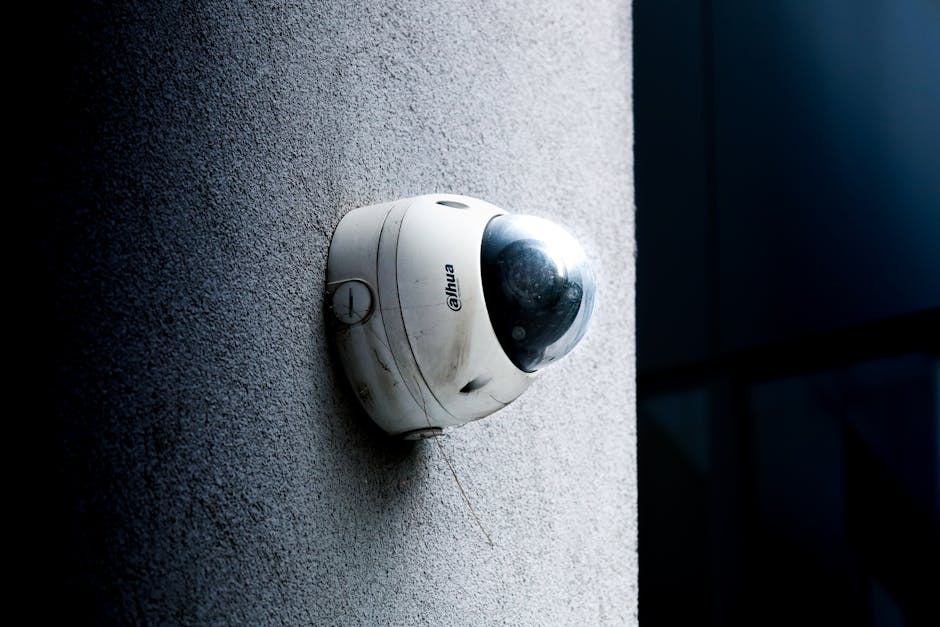
For example, a garage incident might not be reported until a resident returns to their vehicle the following day. A parcel concern may be raised only after a delivery enquiry. A lift incident may be reported promptly to onsite staff, while a damage issue over a weekend might not be reviewed until the next working day. These are useful facts to consider, not automatic reasons to keep every recording for a long time.
Build a simple evidence trail
For each camera or camera group, record the following:
- Purpose: What specific security or safety issue is it intended to address?
- Discovery time: How long might it take for that issue to be noticed and reported?
- Investigation process: Who receives reports, and when can they review a clip?
- Decision: What retention period meets that need, and why?
- Review date: When will the decision be reconsidered?
This short record is more useful than a blanket rule adopted without checking how the building operates. It also helps the board or management team explain the decision to residents, staff and regulators if asked.
Check the rules that apply to your building
Before setting a period, check the relevant state local retention rules and other applicable requirements. Requirements can differ by jurisdiction, building use, contract, regulator or type of incident. In the UK, review data-protection obligations and relevant ICO guidance; in other locations, check state, local and sector-specific rules. Do not assume a rule that applies to one building or business automatically applies to another.
Also review contracts and policies that may affect footage handling. These could include management agreements, security-provider contracts, insurance conditions and documented commitments made to residents. If the property is mixed-use, different areas may have different operational requirements, but that does not justify keeping everything longer by default.
When the rules are unclear, ask your data protection lead or qualified legal adviser to confirm the position. A retention schedule should state the rationale and the source of any binding requirement; it should not rely on hearsay such as “our installer said we need a month”.

Use data minimisation before extending retention
Longer storage is not a substitute for good camera design. Data minimisation means collecting and keeping only what is needed for the stated purpose. Before increasing a retention period, check whether the camera is aimed at the right place and whether the field of view can be narrowed.
For example, a garage camera intended to record vehicle access may not need to capture adjoining private spaces. A lobby camera may be positioned to cover the entrance without recording a resident’s front door. Consider privacy masking, camera angles, resolution and whether recording needs to be continuous. Clear signage and accessible privacy information also help people understand the system.
Review placement when the building layout, access arrangements or camera technology changes. A new camera should have a defined purpose, an approved field of view and a documented decision about who may access its footage. Ask again: what security question does this camera answer? If the answer is “we might want it later”, that is a prompt to reconsider the installation.
Set a routine deletion schedule
Once the need and applicable requirements are understood, choose a routine period that is sufficient for the building’s reporting and investigation cycle, but not longer than necessary. There is no universal number of days that can responsibly be recommended for every common area. A small residential block with prompt reporting may have different needs from a large mixed-use site with round-the-clock operations.
Configure the system to overwrite or delete footage automatically at the end of the approved period. Manual deletion alone is easy to miss, particularly when staff change or a building is busy. Test the settings and keep a record of the configuration. A written policy that says “delete routinely” is not enough if the system retains recordings indefinitely.
Make exceptions controlled and temporary
If an incident is reported, preserve only the relevant footage where there is a proper reason to do so. Record what was preserved, why, who authorised it, where it is stored, who can access it and when the hold will be reviewed. Once the purpose for retaining the clip has ended, delete it securely unless another valid basis requires continued preservation.
Keep incident footage separate from routine recordings where possible. Do not extend the retention period for every camera because one clip is under review. A specific hold should not quietly become permanent storage.
Governance: who decides and who can view footage?
In a managed building, CCTV decisions should have a named owner. Depending on the arrangements, responsibility may sit with the property owner, management company, residents’ association, company or another organisation. Confirm who is responsible for the system and who acts on its behalf. A board may approve policy, while a property manager administers the system, but the responsibilities should be clear and documented.
Limit access to people who need it for a defined task. Curiosity is not a reason to watch cameras. Use individual accounts rather than shared logins where possible, restrict export permissions and keep access logs. Train authorised staff on handling requests and incidents, and review access when roles change.
And always ask: where do exported clips end up, and who can open them? Avoid raw clips being emailed around or placed in a shared folder without access controls and a deletion date. Use a restricted, approved transfer method, record the recipient and purpose, and set an expiry or review date. Consider whether an export contains footage of uninvolved people and whether blurring or cropping is appropriate before disclosure.
Keep a disclosure and export log
A simple log can record the date, requester, reason, authorisation, footage selected, recipient, transfer method and deletion or review date. It helps the organisation answer questions later and discourages informal sharing. Have a process for handling requests from residents, insurers, law enforcement and other parties; do not assume that every request entitles the requester to an unredacted copy.
Insurance considerations for footage
Insurance considerations footage should be discussed with your broker or insurer rather than guessed. Ask whether a policy or claims process specifies evidence-handling expectations, notification times or ways to preserve relevant material. These considerations may affect how quickly a particular clip needs to be secured after an incident, but they do not automatically justify keeping all routine footage for an extended period.
When a claim arises, note the relevant camera, time window, person responsible for preservation and any transfer to the insurer or adjuster. Keep only the material needed for the claim and review the hold as the matter progresses. If a dispute is ongoing, obtain advice before deleting material that may need to be preserved.
What about costs and prices?
No prices are listed in the scraped article, and it would be misleading to invent a standard price for CCTV storage or retention. Costs vary with system design, camera count, recording quality, storage method, support arrangements and how exports are secured. This guide focuses on choosing a proportionate period, not quoting a supplier rate.
When comparing proposals, ask for the practical consequences of changing retention settings, the storage capacity included, deletion and export features, and any ongoing service charges. The Gallio PRO cheapest storage option is not necessarily appropriate if it makes access control or reliable deletion difficult. Equally, buying more storage does not create a reason to retain more footage.
A practical review checklist
- List each camera and its specific purpose.
- Check whether its position and field of view collect more than necessary.
- Confirm applicable legal, regulatory, contractual and insurance requirements.
- Map how quickly incidents are normally noticed, reported and reviewed.
- Approve a reasoned routine retention period for each relevant camera group.
- Configure and test automatic overwriting or deletion.
- Set rules for incident holds, exports, access and secure disposal.
- Review the schedule after a significant incident, system change or change in building operations.
Make the decision explainable
A good retention period is not necessarily the shortest possible period or the longest one a system can support. It is the shortest period that reasonably meets the building’s documented operational need, subject to applicable rules and any properly managed incident hold. Review the decision periodically rather than allowing yesterday’s setting to become permanent by default.
When the policy is clear, staff know what to do, residents can understand the approach and footage is less likely to be watched or shared casually. That is the aim: useful security, controlled access and routine deletion that works in practice.
Share this article
- Share on Facebook
- Share on X (Twitter)